Student Article
Accepted Documentation Formats
Set expectations for every upload so CPNW reviewers or campus coordinators can approve your documentation the first time.
Core information every document needs
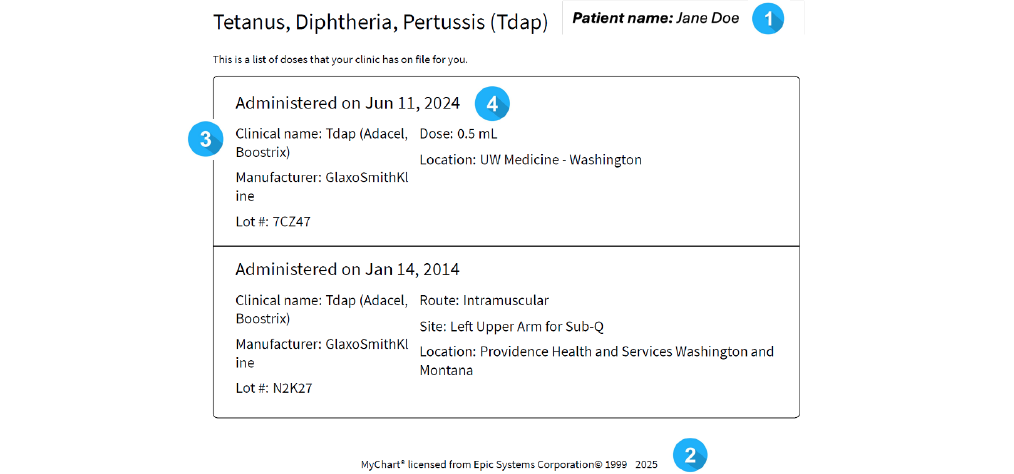
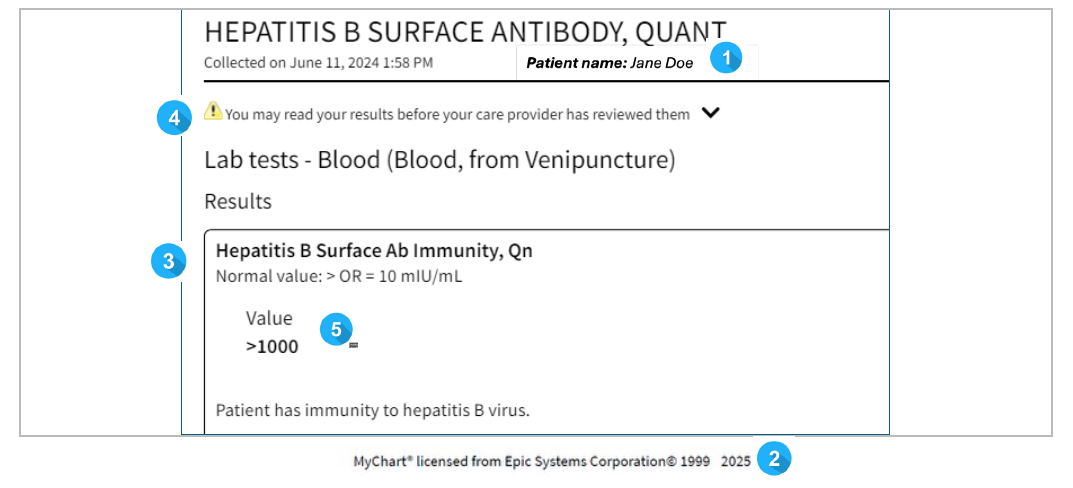
Whether you review requirements yourself or rely on a Document Verification Specialist, each record must stand on its own with the following data points visible:
- Student’s full legal name matching your CPNW profile.
- Healthcare provider or lab name, plus contact information.
- Exam, vaccine, or lab title (for example, “MMR Titer”).
- Date of service; multi-dose series should show each dose.
- Result or provider signature confirming completion.
Approved file types
Combine multi-page records into one upload using these formats so reviewers can keep the Review table organized:
- .docx
- .txt
- .pptx
- .xlsx
- .jpg
- .jpeg
- .png
These formats preserve readability when downloaded or moved into your Docs folder for future audits.
Submissions that are rejected
To keep the Clinical Passport defensible with healthcare partners, reviewers decline records that:
- Any file missing the required data points listed above.
- Documents expiring within 30 days (for example, TB or CPR cards) unless you renew and resubmit a new record.
- Handwritten immunization cards unless each entry is signed by the provider or accompanied by an official certification.
- Files downloaded from the Department of Health, MyIR, or similar portals that can be altered after the download.
- Screenshots missing your name or service date, or uploads that include multiple students in a single file.
Submit it right the first time
- Review this checklist before uploading so you know exactly what data must appear.
- Preview the file before uploading; if text looks blurry to you, it will to reviewers as well.
- Every rejection includes guidance. Read the note carefully, make the fix, and resubmit in a single file so the audit trail stays clear.