Student Article
How To Register
Use this checklist to create your CPNW account, verify your email, and submit your profile to your program’s clinical coordinator for approval.
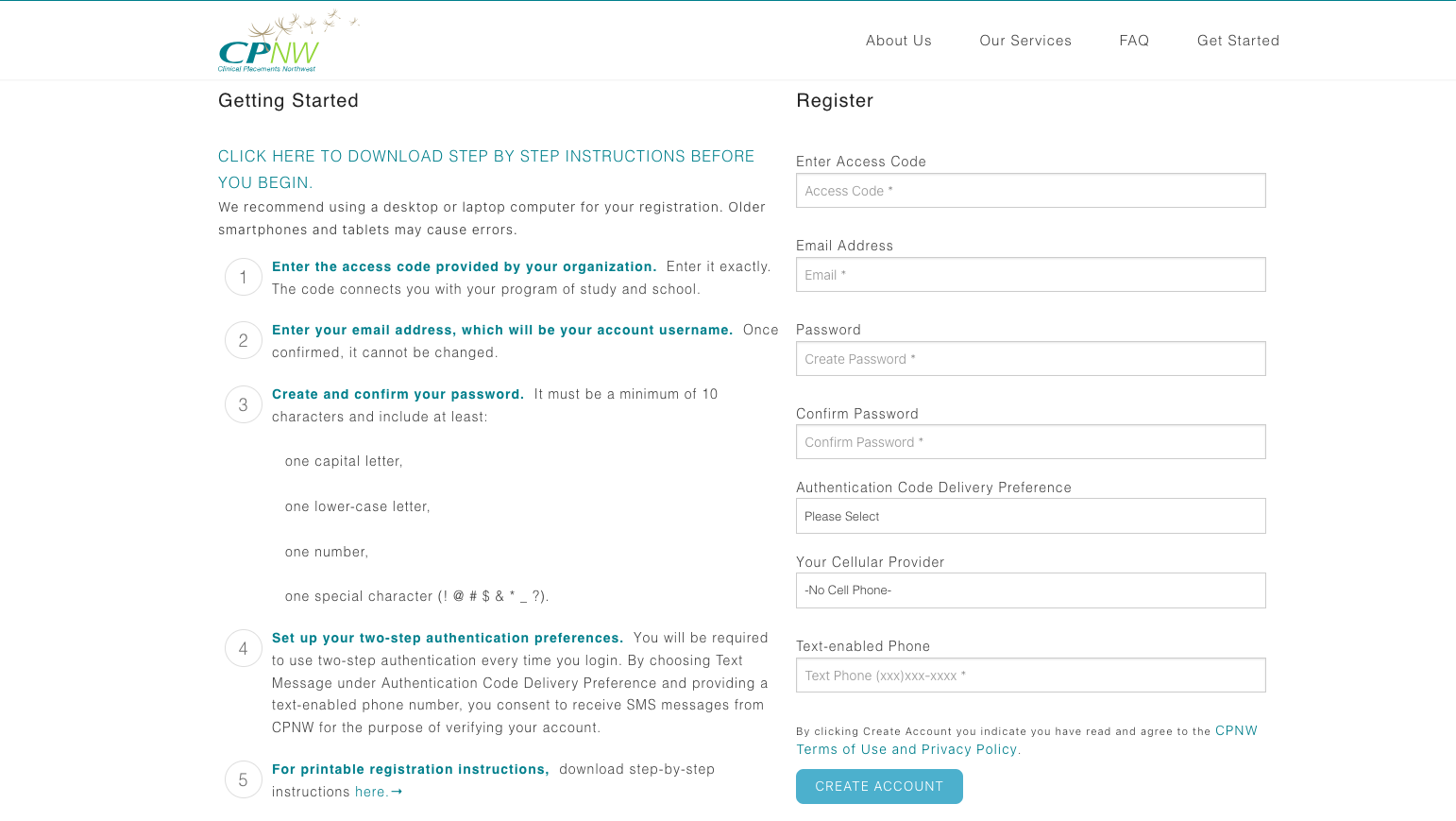
- Start with a registration access code provided by your program’s clinical coordinator, then visit beta.cpnw.org/Account/Register to begin the process.
- Enter your email address, create a secure password, and choose your two-factor authentication delivery preference.
- Click Create Account. CPNW immediately sends an email verification link (check spam/junk folders). Select the link within 5 minutes before it expires.
- If the link expires, simply log in with the email and password you created to trigger a new verification email.
- After clicking the verification link, you’re returned to CPNW. Choose Complete Registration to continue.
- Log in again and agree to the Consent Form and Student Self-Pay Refund Policy, then click Record Consent.
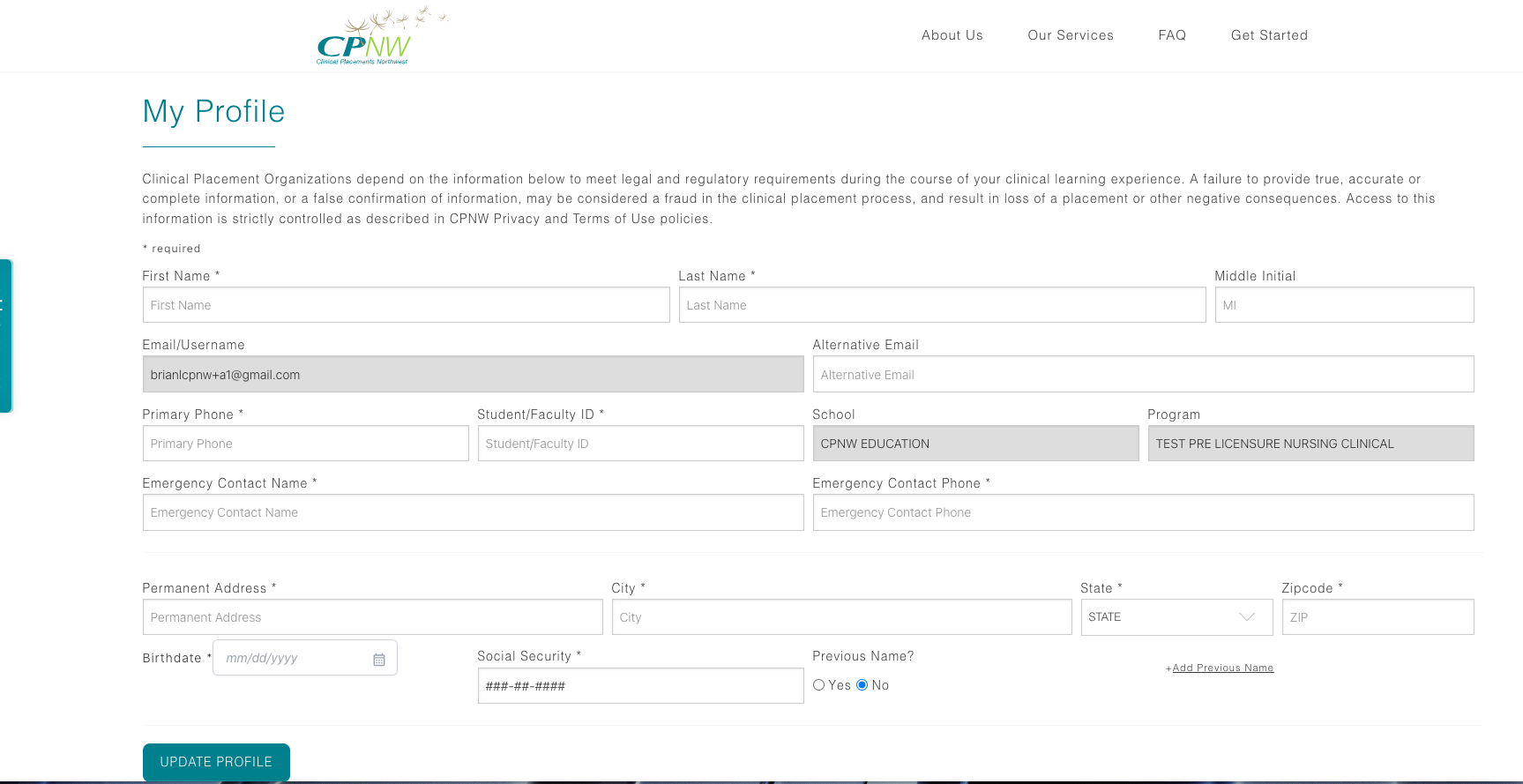
- Complete every field on the My Profile page accurately. When finished, select Update Profile.
- You are redirected to the landing page—click Logout. Your account request is now with your program’s clinical coordinator.
- Allow up to 2 business days for approval. If you do not receive an email update, contact your coordinator for a status check.
- Once your coordinator approves the request, sign back in to access your dashboard and begin working on requirements.